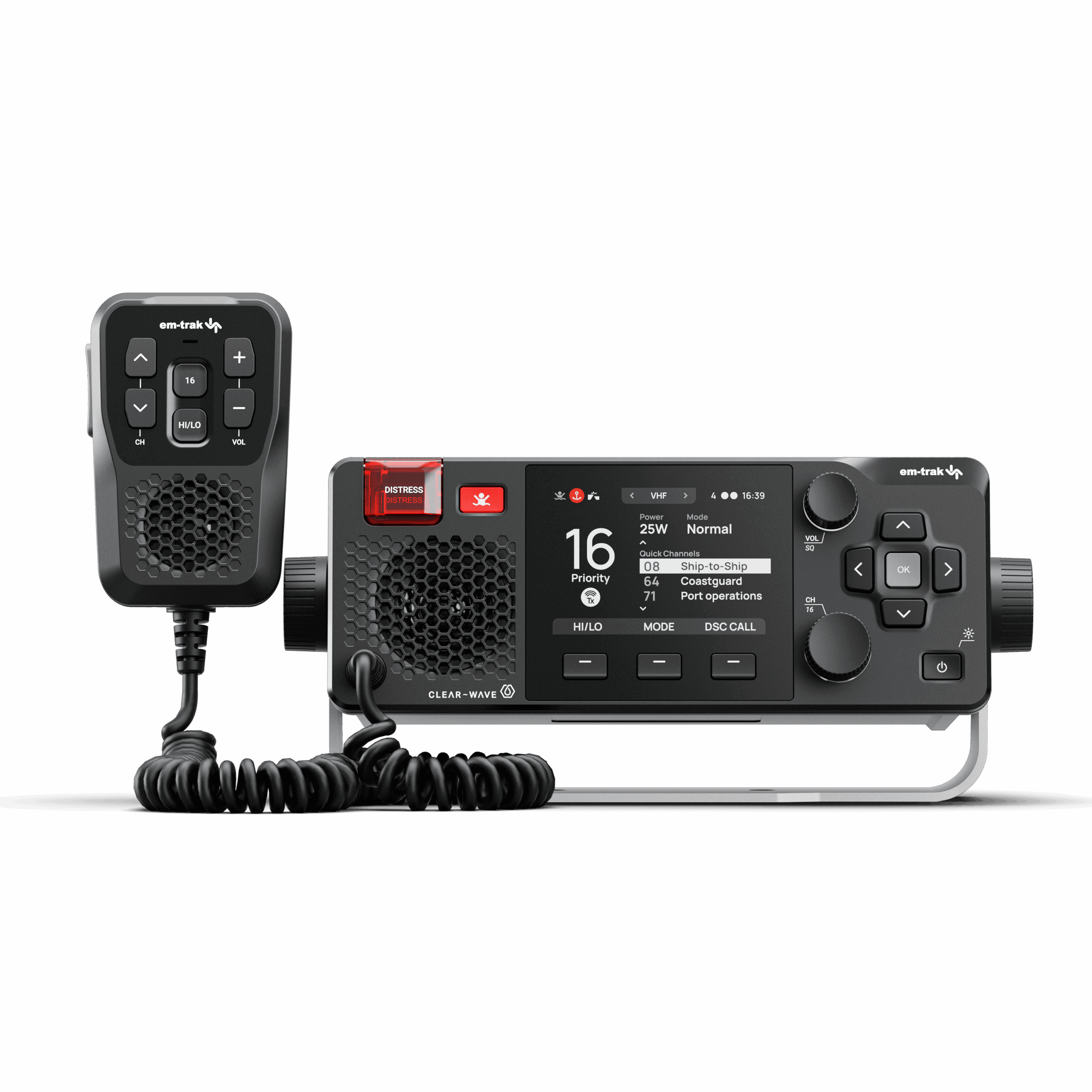
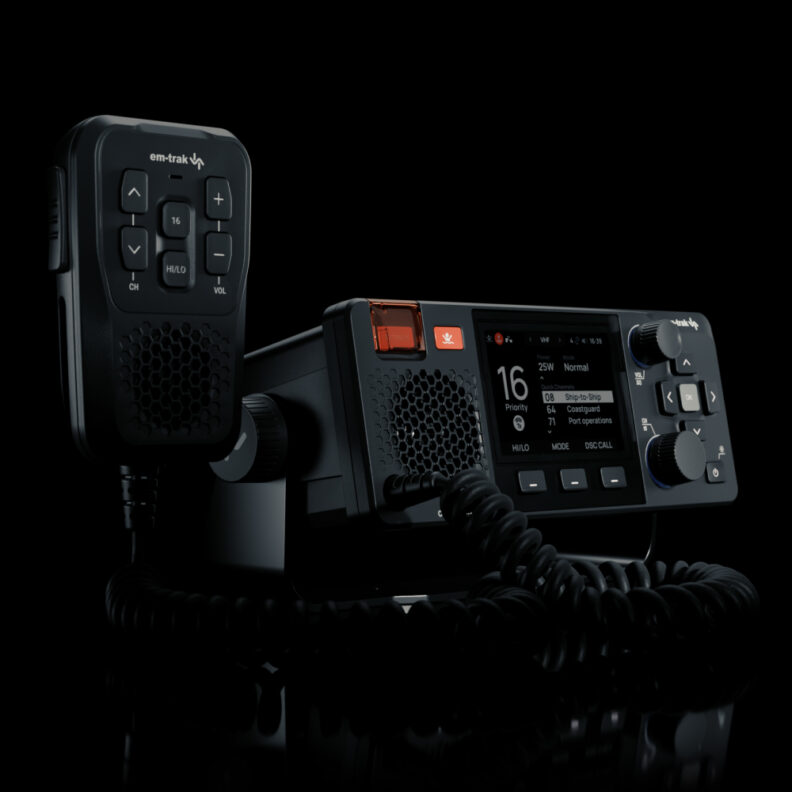
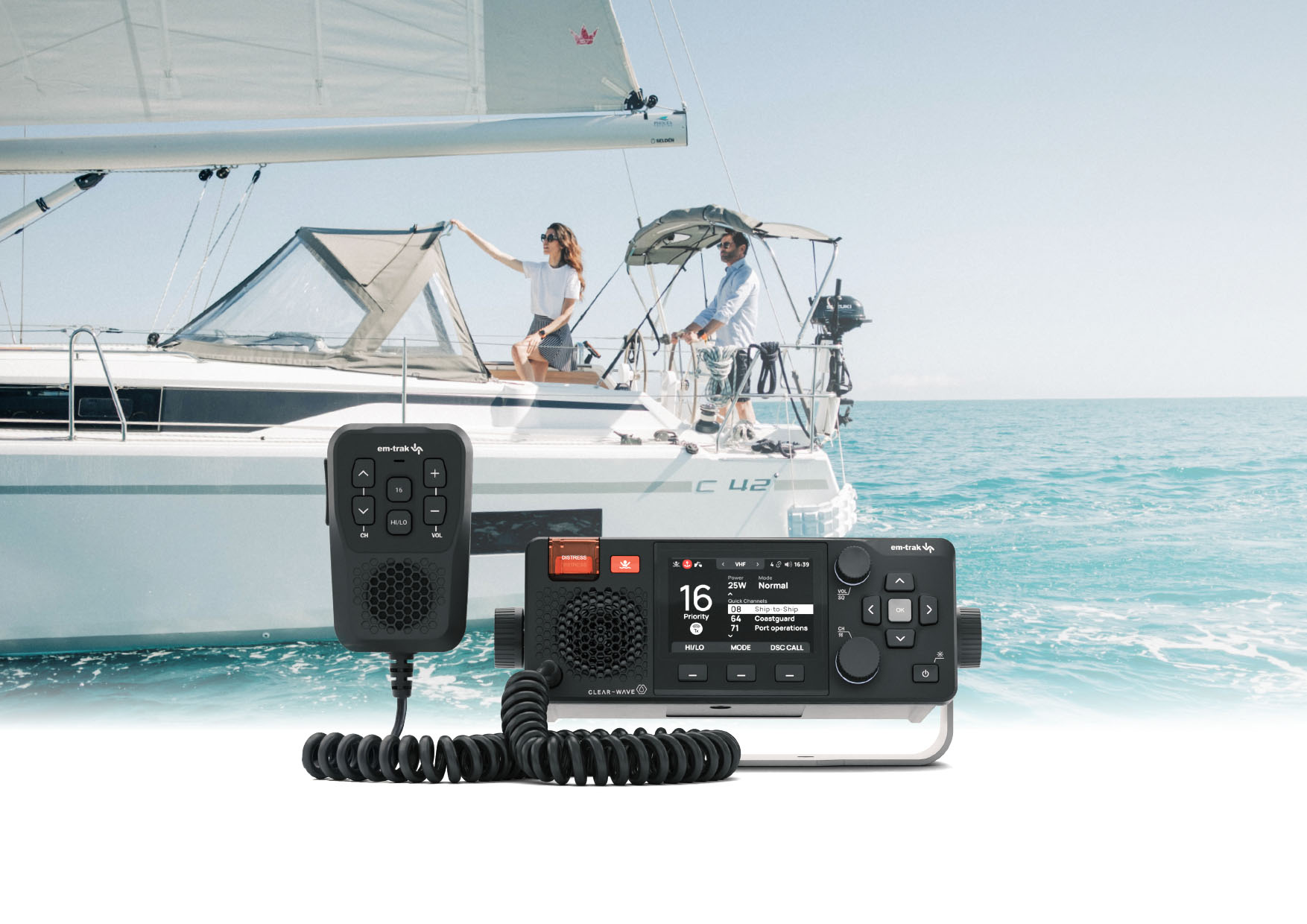
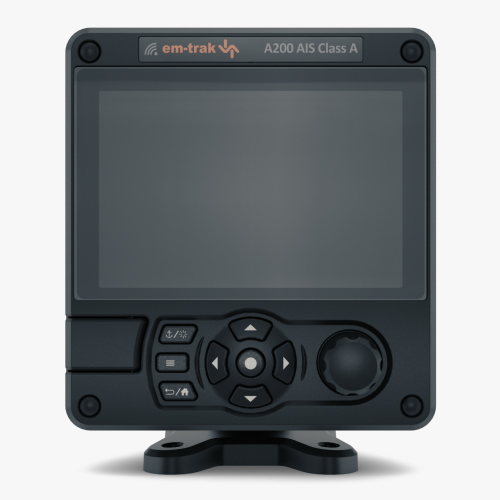
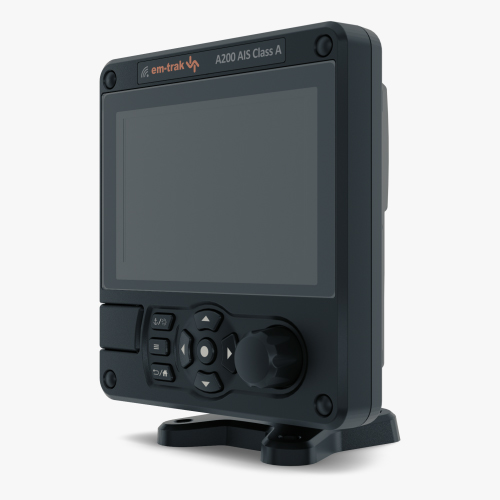
The em-trak X100 blends powerful VHF, DSC, and AIS technology with intuitive wireless control. It’s the heart of a safer, calmer, more connected boating experience.
VHF/DSC communication seamlessly combines a powerful 5W receive and transmit AIS Class B 5W transceiver and the convenience of wireless connectivity to provide you with a marine radio system that does it all. It also offers the benefit of CONNECT-X connected convenience.
X100
Engineered without compromise
The ocean doesn’t compromise and neither does the em-trak X100. From the moment you power it on, you’ll feel the difference: a marine communication system that’s been engineered not just to survive the elements, but to thrive in them.
Functionality
VHF/DSC
AIS Class B 5W
MOB/PLB
AIS CPA Alerts
Private Intercom
Loudhailer
Engineering
Clear-Wave™ Audio
Hi-Vis Colour Display
VHF/AIS Antenna Splitter
Power Efficient
Waterproof
Global Certification
Connected
Bluetooth Wifi
Connect-X Mobile
NMEA2000 & 0183
Interoperable
AIS & Safety
Emergencies don’t wait and neither does the X100. With Distress, Safety & Urgency Calls, Group Calls, MOB Integration, and Silent Mode AIS; Every feature is designed to enhance your awareness and response because safety is never optional.
VHF/DSC Features
Experience superior marine communication with our Certified Class D VHF/DSC radio featuring ClearWave digital audio for crystal-clear sound. Integrated with NMEA2000 for efficient DSC messaging, this advanced system ensures connectivity across your network.
More Features
Dual, tri, or custom tri-channel monitoring
Quick-access channels and simple fist-mic controls
Two-way crew intercom and public address system
Loudhailer for direct vessel-to-vessel communication
Full compliance with international channel mappings
NMEA2000 integration for DSC messaging
One-touch AIS target calling
Safety, urgency, and distress calls at your fingertips
Group calling for races and events
Test calls to ensure reliability before you set sail
X100 system walkthrough
A powerful VHF radio at its core
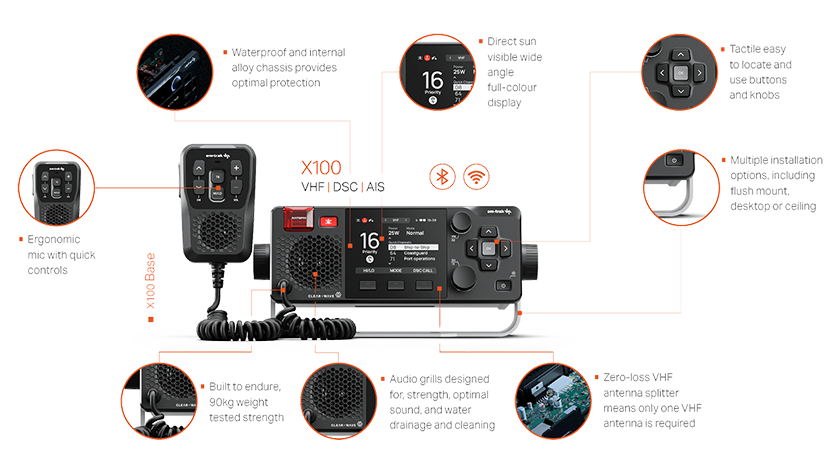
At its heart, X100 is a high‑performance VHF/DSC marine radio, delivering crystal‑clear digital audio, dependable transmit power, and fast, intuitive operation.
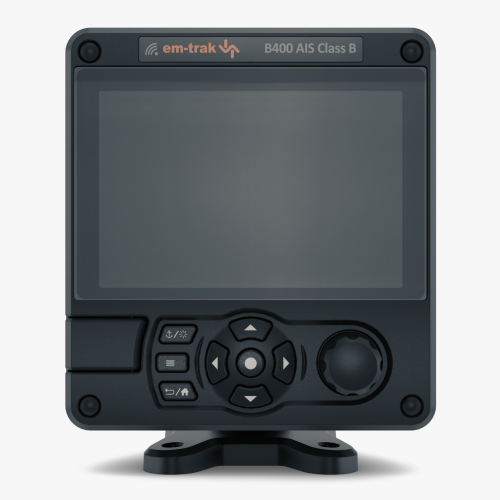
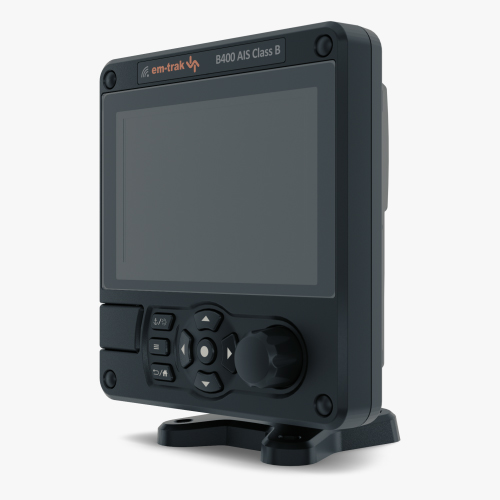
The ergonomic interface features a daylight‑readable full‑colour display, tactile buttons, and robust control knobs designed for confident use in all conditions, whether managing busy traffic lanes or coordinating onboard operations.
VHF and AIS, fully integrated
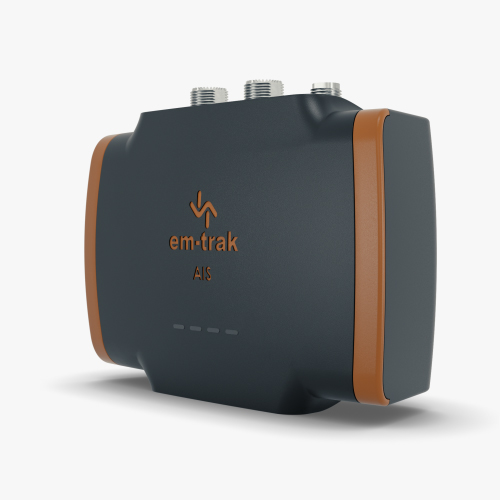
X100 goes beyond traditional marine radios by integrating a commercial‑grade AIS Class B 5W transceiver directly into the system.
This means X100 delivers two essential marine safety products in one, VHF and AIS, working seamlessly together without the need for separate hardware.
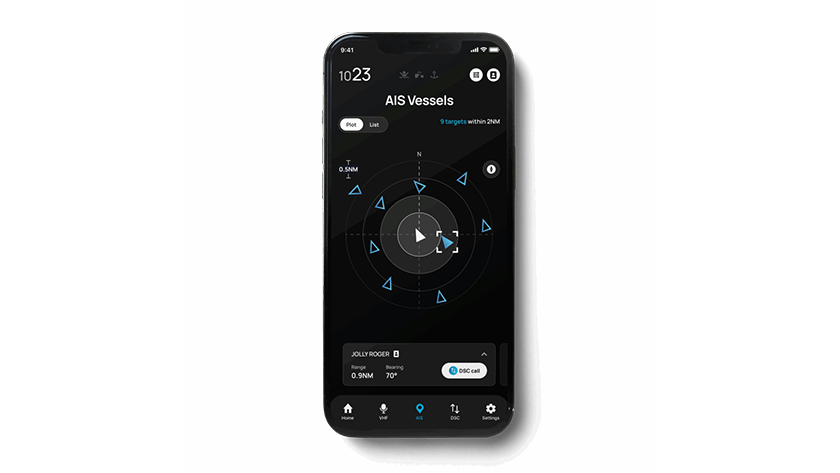
With a built-in zero‑loss VHF/AIS antenna splitter, both systems operate simultaneously using a single VHF antenna. This simplifies installation and reduces clutter. Integrated GPS, AIS target monitoring, CPA alerts, and silent mode functionality provide enhanced awareness and collision avoidance as part of one unified solution.
CONNECT‑X: Control anywhere on board
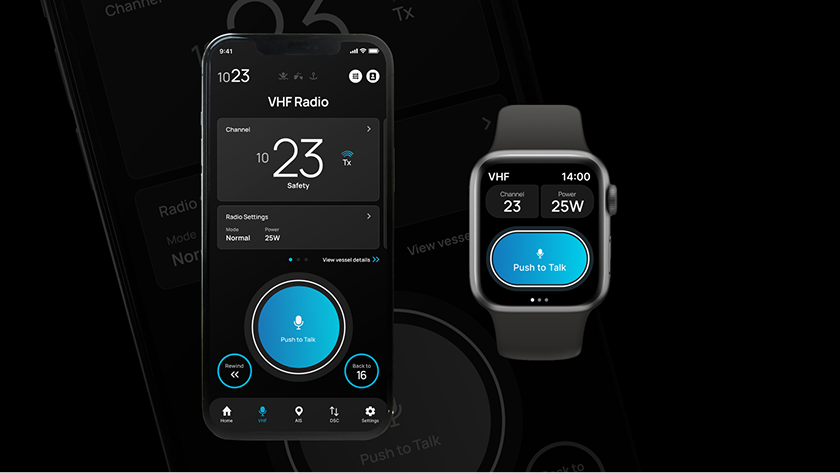
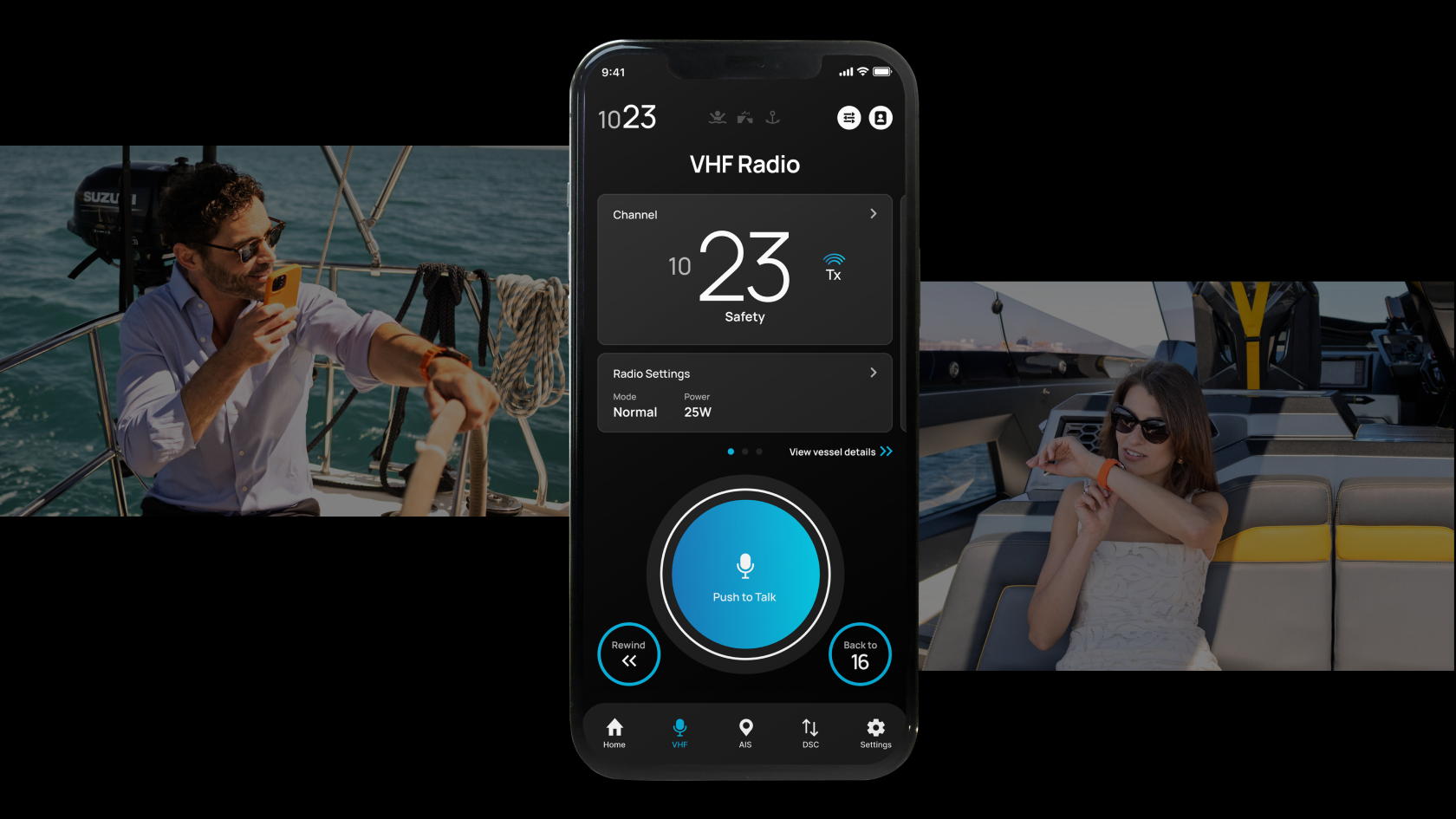
CONNECT‑X extends the power of the X100 beyond the helm, enabling wireless control and monitoring from your smartphone or smartwatch.
Using CONNECT‑X, personal devices become fully functional wireless command mics. Users can make and receive VHF/DSC calls, monitor real‑time AIS traffic, and stay connected anywhere on board, above or below deck, with no mobile network required.
It is a supporting feature designed to enhance freedom of movement, improve onboard coordination, and keep users firmly in control wherever they are on the vessel.
Packed with features. Engineered for marine life.
X100 is engineered to reliably endure continuous operation in the harshest marine environments, from arctic cold to equatorial heat.
Every aspect of the design reflects em‑trak’s commitment to professional‑grade durability, performance, and usability:
Ruggedised waterproof construction with internal alloy chassis
High‑visibility colour display for direct sunlight operation
Tactile, glove‑friendly controls
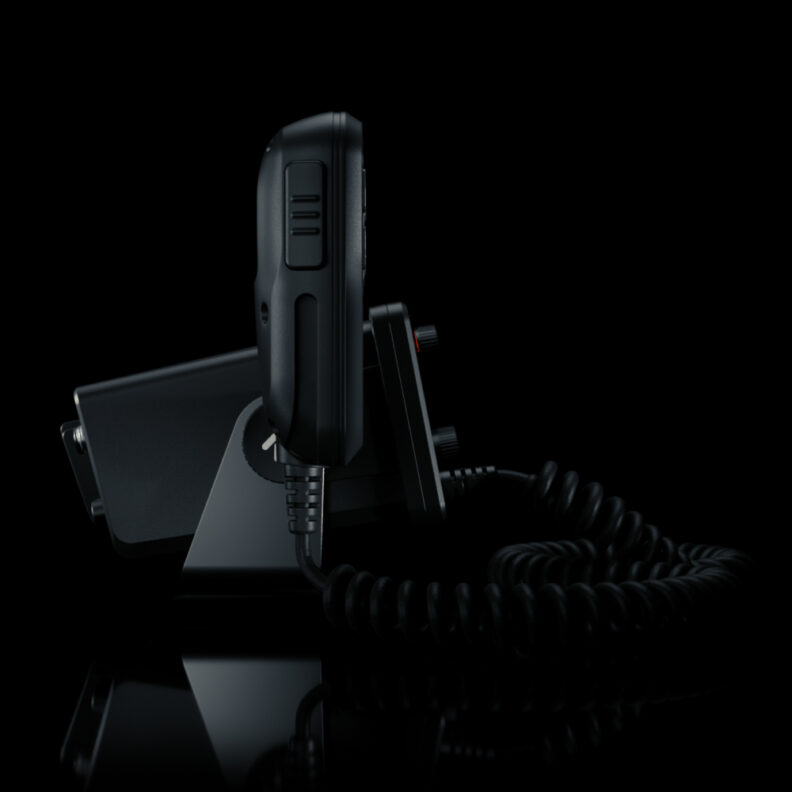
Flexible installation options including flush, desktop, or ceiling mount
Plug‑and‑play interoperability with chartplotters, navigation apps, and onboard systems
This is marine electronics built to last.
CONNECT-X APP
Connected convenience
With the CONNECT-X app, your smartphone or smartwatch becomes a wireless command mic, giving you full control from anywhere onboard. Make calls, monitor AIS traffic, receive MOB alerts; all without being tethered to a fixed location.
Wireless command mic
VHF/DSC in your pocket or on your wrist. Use your smartphone or watch as a full-featured wireless radio command-mic.
MOB & PLB Alert System
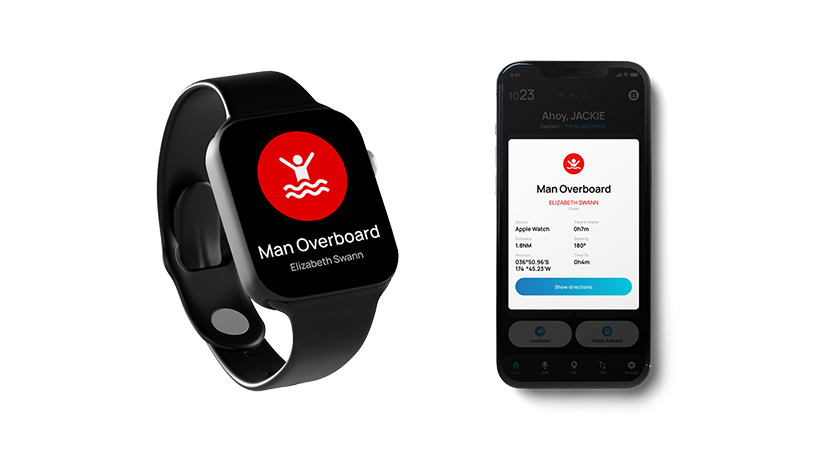
Peace of mind by automatically monitoring the safety of everyone onboard using X100 & CONNECT-X MOB function. MOB or detected AIS PLB events are instantly alerted on the X100 and all connected CONNECT-X devices, which provide clear last location.
Private Group Intercom
Download CONNECT-X to multiple smartphones and watches to create a private onboard intercom that you can use to easily communicate with fellow crew members, family, friends and guests to make onboard tasking safer and more effective.
AIS Class B 5W
Commercially certified 5W receive and transmit AIS Class B 5W, featuring collision and CPA alerts on X100 base and your CONNECT‑X wireless‑enabled smartphone or watch, vessel lists and details, direct push‑to‑talk (VHF/DSC) call linkage, and on/off transmit.
WHY CHOOSE THE X100
Complete confidence, wherever you sail
Tough, reliable, and intelligently connected, X100 delivers complete confidence on the water. Backed by em‑trak’s 3‑year international warranty and global support network, it is a marine communication system designed to perform wherever the voyage takes you.
FAQs
How do I connect X100 to my vessel?
What hardware do I need to connect my X100 to?
VHF Antenna
It is recommended that you use a VHF antenna tuned to 162MHz for optimum performance. For your splitter, one suitable for 156MHz and 162MHz is recommended.
VHF Antenna cable
RG-58 or RG-8X cables can be used for short distances, however for longer runs it is recommend to use a low loss cable like RG-213.
The X100 is supplied with a two metre long power and data cable. If you require longer cables to reach your power supply, ensure the cables are capable of carrying currents of up to 6A peak and 200mA on average. You will also have to have means of connecting the cables together.
NMEA0183 connections can be used to connect your X100 to a Chartplotter or Multi Function Display. Generally your chart plotter should be configured to accept NMEA data at 38400 baud (sometimes referred to as ‘NMEA HS’). You may also need to enable the display of AIS targets in the chart options. See Rear connectors for further information
NMEA2000
If you use an NMEA2000 network on your vessel you can connect the AIS transceiver to the NMEA2000 network via a suitable cable. If you are not sure what cable is suitable, email support@em-trak.com or contact your dealer. See: Rear connectors for further details.
Loudhailer / external speaker
X100 can connect to either an External speaker (for incoming VHF audio) or a Loudhailer. See: Rear connectors for further details.
How do I connect Mobile devices to the X100?
Connecting Mobile phone and Tablet devices to the X100
Any device you want to connect to the X100 needs to be on the same Wi-Fi network as the X100. So make sure the device is on the same network, then simply press the JOIN WI-FI softkey on the VESSEL screen.
Then scan the QR code with the device you want to join.
If you want to use the device to run a Third party Navigation app, you’re good to go, just setup the connection as per the navigation app vendor’s instructions.
If you want to use the phone or tablet with CONNECT-X, download and install the app from your App Store by clicking HERE.
Open the CONNECT-X app and follow the app’s instructions, the device will be connected in no time.
Minimum phone and tablet requirements:
Android 11+
iOS 15+
your App Store will tell you if the CONNECT-X App is compatible with your device or not.
X100 is designed to allow up to 10 Mobiles devices to be connected to its network at any one time in Direct Connect Mode.
How do I receive and install software updates?
How do I receive and install software updates?
Each time you open the Connect-X Application, it will automatically check for the latest X100 software update. If a newer version is available, it will download and install it for you automatically – when it is convenient for you.
When a software update is available for the app, your smart device will usually notify you. You can then download and install the update from the app store.
How do I check if my chartplotter is AIS compatible?
How do I check if my Chartplotter is AIS compatible?
Most modern Chartplotters will have the ability to accept AIS information via NMEA, however older models may not have this ability. This is due to technology continuously improving with new features being added. To check to see if your Chartplotter is fully compatible with the X100 contact us by clicking here, or email support@em-trak.com.
Configure Navionics Boating to connect to X100
To get AIS targets in the Navionics Boating app, start by setting up the X100 to send navigation sentences over WiFi.
In the app, go to Menu > Paired devices, make sure your device and the X100 are connected to the same Wi-Fi network, then connect them. Just follow the app’s instructions to finish the setup. These steps work the same for other apps that support NMEA 0183 data over WiFi.
To receive AIS targets in the Navionics Boating app on mobile or tablet, please use the following instructions:
Within the Navionics Boating app, go to the Menu and select “Paired devices”
Click the “ADD DEVICE” button:
Ensure that you are connected to a Wi-Fi network and that X100 is also on the same Network, or the mobile or tablet is connected in “DIRECT CONNECT” mode.
When asked for the connection settings, enter the IP Address of the X100 (this can be found in the Wireless settings: Here). Set the Port number to 10110.
When connection to the X100 has been established, follow the remaining instructions in the mobile app.
Note: Whilst this article details connection to the Navionics Boating app, steps discussed to enable the output of navigation sentences applies to other apps, such as TZ iBoat and other apps that support receiving NMEA 0183 data, including AIS targets, over WiFi.
The X100 has an integrated zero loss splitter, so its AIS and VHF functions both operate and from a single VHF Antenna when connected directly.
Only consider an additional external splitter if you plan to share that same antenna with other equipment (e.g. another VHF radio), and in that case it must both support 156MHz and 162MHZ.
You can read more in the X100 product overview here.
What kind of VHF antenna do I need for X100?
For your em-trak X100 (which combines AIS & VHF), you need a good quality antenna that is tuned for the entire VHF Marine band (including AIS), ideally 1/2 wave for better performance without a ground plane, with a PL259 connector for the X100’s SO239 port.
Alongside an em-trak antenna (contact your local em-trak dealer for details), top brands like Shakespeare (e.g., Galaxy series) or Procom antennas are good choices, emphasizing proper mounting for clear sky/water view and distance from other electronics.
Optimal Gain (3dB):A 3dB antenna provides a good balance of range and stability. Because it has a wider vertical beam, it maintains connection even when the boat rolls or pitches. For more stable vessels that heel over less (Catamarans and Motorboats), antennas with a higher gain (up to 6 dB) can be used.
Height is Key:Since marine VHF is “line of sight,” placing a 3dB antenna at the top of the mast provides a much better range (approx. 30+ miles) than a higher-gain antenna mounted lower.
If you have an unused VHF antenna from a previous radio installation that you would like to use, ensure that it meet the Key Antenna Specifications below:
Frequency:Covers 156-162 MHz (Marine VHF & AIS) tuned to a Centre frequency of 159 MHz.
Type:A 1/2 wave is generally better than 1/4 wave as it doesn’t need a perfect ground plane.
Connector:PL259 to fit the X100’s SO239 socket.
Gain:Higher gain (dB) means reliability at range but can be more directional; a 3dB or 6dB is standard.
Do I need a GPS Antenna?
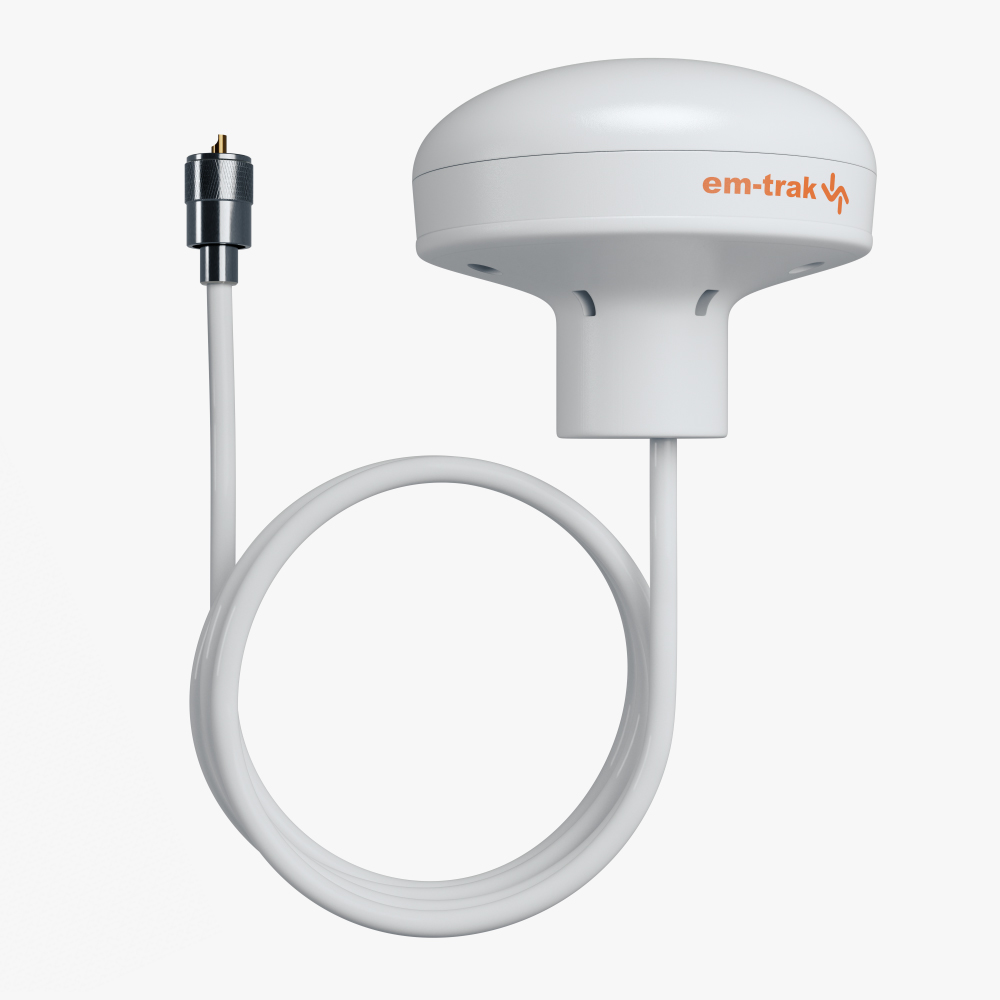
X100 contains an integrated GNSS Antenna which can be used when the radio is in a location with a clear view of the sky or near a window.
However, for utmost flexibility and performance, we recommend connecting an external antenna and mounting this in an outside location. See: GPS antenna options for further details.
If you have a GNSS antenna onboard that, for instance, was used for a previous radio or AIS, it may be possible to connect this to X100.
X100 requires a GNSS antenna to have:
Male TNC connector
Gain of 25dB or more
Active Bias voltage of 3.3V – 5V (centre pin positive)
5 YEARS MAINTENANCE FREE
EASY TO USE
Why em-trak?
We guarantee you best performance, reliability, connectivity and value. Achieved through relentless and sustained core technology and product development over a twenty-year period.
Enhance the safety of you and your vessel with connected em-trak AIS onboard.
IMO SOLAS CERTIFIED
APPROVED AIS SRT
Tech Spec
em-trak products are designed and engineered to deliver the very best performance, reliability, connectivity and installation experience for those who are serious about wanting an AIS transceiver that delivers the best real-world performance and long-term reliability.
PHYSICAL AND ENVIRONMENTAL SPECIFICATION
Size (w x h x d) – 249 x 84 x 162mm
Weight – 700-800g
Operating temperature – -25°C to +68°C
Storage temperature – -25°C to +70°C
Ingress protection – IPx7
ELECTRICAL SPECIFICATION
Supply voltage – 12V or 24V DC
Supply voltage range – 9.6V – 31.2V DC
Average current (at 12V) – 480mA
Peak current – 4A
Average power consumption (at 12V) – 5.8W
Galvanic isolation – NMEA 0183, NMEA 2000, Power supply, VHF antenna port
CONNECTORS
VHF antenna – SO-239
GNSS – TNC
Power – 2 way circular multipole
NMEA 0183/silent mode – 14 way circular multipole
NMEA 0183/alarm relay – 18 way circular multipole
NMEA 2000 – 5 way Micro-C connector
DATA INTERFACES
NMEA 0183 – 3 x input ports. 3 x bi-directional ports
NMEA 2000 – NMEA 2000 Ed 3.101, LEN=1
Wi-Fi – IEEE 802.11 (a/b/g), client and access point mode supported (5 connections in access point mode)
STANDARDS COMPLIANCE
AIS standards – IEC 62287-2 Ed. 2. ITU-R M.1371.5
Product safety standards – EN60950-1 2006 +A11:2009 +A1:2010 +A12:2011 +A2:2013
Environmental standards – IEC 60945 Ed. 4
Serial data interface standards – IEC 61162-1 Ed 5.0. IEC 61162-2 Ed 1.0
NMEA 2000 – NMEA 2000 Ed 3.101
GNSS performance standards – IEC 61108-1 Ed 2.0. IEC 61108-02 Ed 1.0
GNSS
Systems supported – GPS, GLONASS, BeiDou, Galileo
(two of any combination, three including GPS, Galileo)
Channels – 72
Internal/external antenna – External only
Time to first fix from cold start – 26s
VHF TRANSCEIVER
VDL access scheme – SOTDMA
Operating frequency – 156.025MHz – 162.025MHz
Channel bandwidth – 25kHz
Receivers/transmitters – 3 x receivers, 1 x transmitter
AIS receiver sensitivity (20% PER) – -111dBm
AIS transmitter power – 5W (+37dBm)
USER INTERFACE
Screen – 5″ 800 x 480 full colour LCD
Buttons – Rotary encoder for selection and entry, 4 menu keys and 4 direction keys
SD card interface – Micro SD card interface for logging and chart cards (not available from em-trak)
GNSS ANTENNA
Size – 85 x 70mm
Weight – 470g
Ingress protection – IPx6 and IPx7
Mounting – 1 inch 14 TPI pole mount required
GNSS systems supported – GPS, GLONASS, Galileo, BeiDou
In the Box
X100 VHF | DSC | AIS radio
Fist mic, bracket and fixings
Fist mic holster mounting template
Mounting bracket and fasteners
Panel mounting o-ring
WiFi and Bluetooth antenna
Front cover
Global support & warranty
All em-trak products are supplied with a comprehensive three-year global warranty for complete peace of mind.
Customers may return unused products for a full refund within 48 hours of receipt, provided the product and packaging are complete, undamaged, and notification is received in writing within this timeframe. Returns cannot be accepted if the product has been used, damaged, or if any packaging components are missing.
In the unlikely event of a fault, em-trak’s Customer Support team is available 24/7 at support@em-trak.com. Our specialists will assist in diagnosing the issue and, where appropriate, arrange repair or replacement under warranty. Please note that the warranty does not cover products that have been misused, damaged through improper handling, or tampered with.
Register your X100 →
Complete your product registration to help us provide faster support and manage your warranty details.